
Authentication and scopes
DataFast has two token types. They look similar, but they are meant for different jobs.
Token types
| Token | Name | Scope | Best for |
|---|---|---|---|
df_ | Website API key | One website | Analytics reads, visitor lookup, server-side goals, payments, identify, and selected website-scoped admin actions |
dft_ | Account token | One account, optionally limited to specific websites | CLI, AI agents, account automation, website creation, token creation, team management, alerts, funnels, settings |
Website API keys (df_)
Use
df_ keys when your integration only needs one website.Create them in Website settings -> Developer. If you are signed in, use the website selector in this docs header to switch the link to another website.
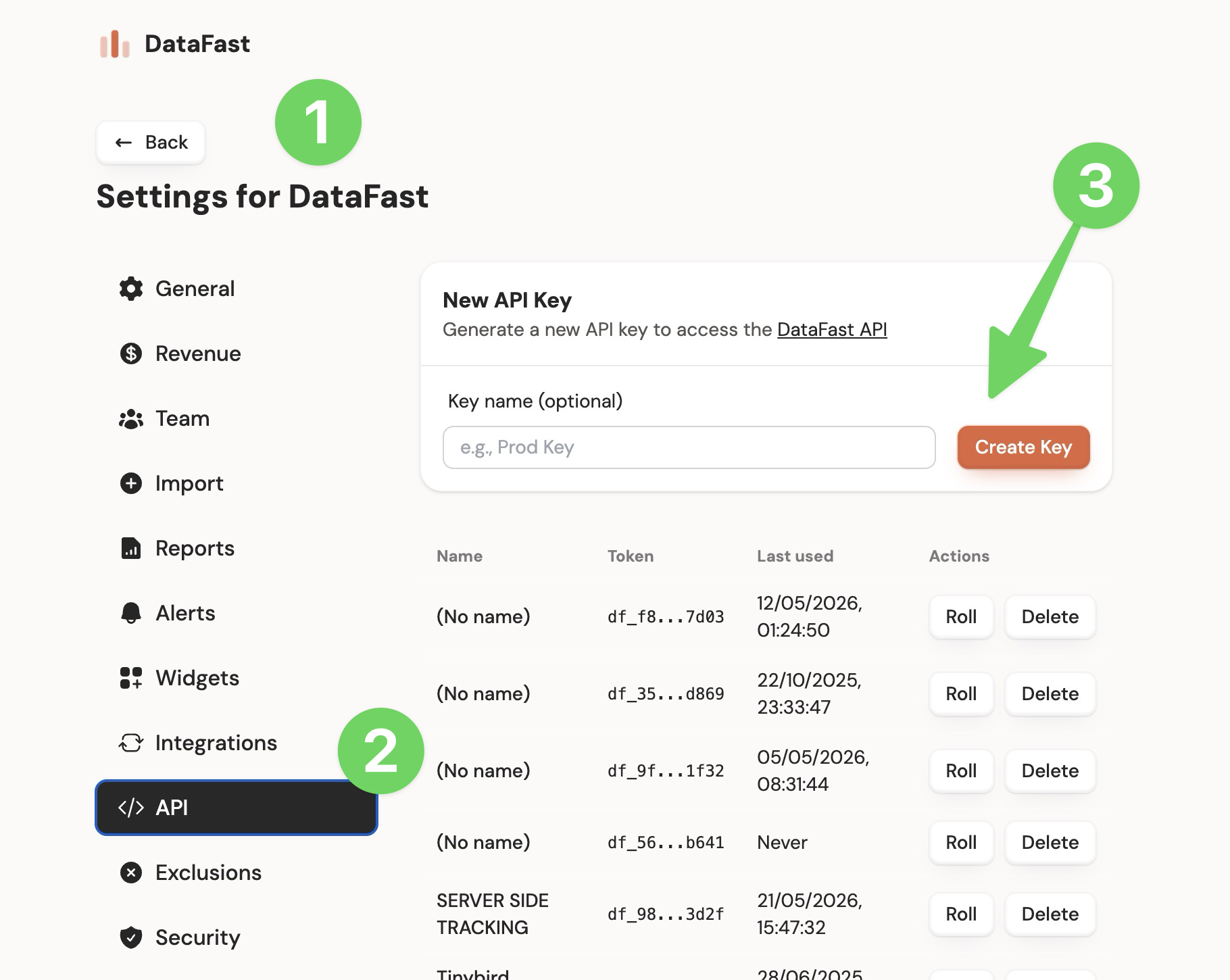
You can also create them with the CLI:
datafast websites apikeys create <websiteId> --name "Prod key"
With public website endpoints, the website is inferred from the key:
curl "https://datafa.st/api/v1/analytics/overview" \
  -H "Authorization: Bearer df_xxx"
A
df_ key can also call some website-scoped Account API routes, such as listing or creating funnels for its own website. It cannot access account-level resources like /api/v1/admin/access-tokens, cannot create new websites, and cannot perform owner-only team actions.Account tokens (dft_)
Use
dft_ tokens when a script, CLI session, or AI agent needs broader account access.Create them in Account settings -> API.
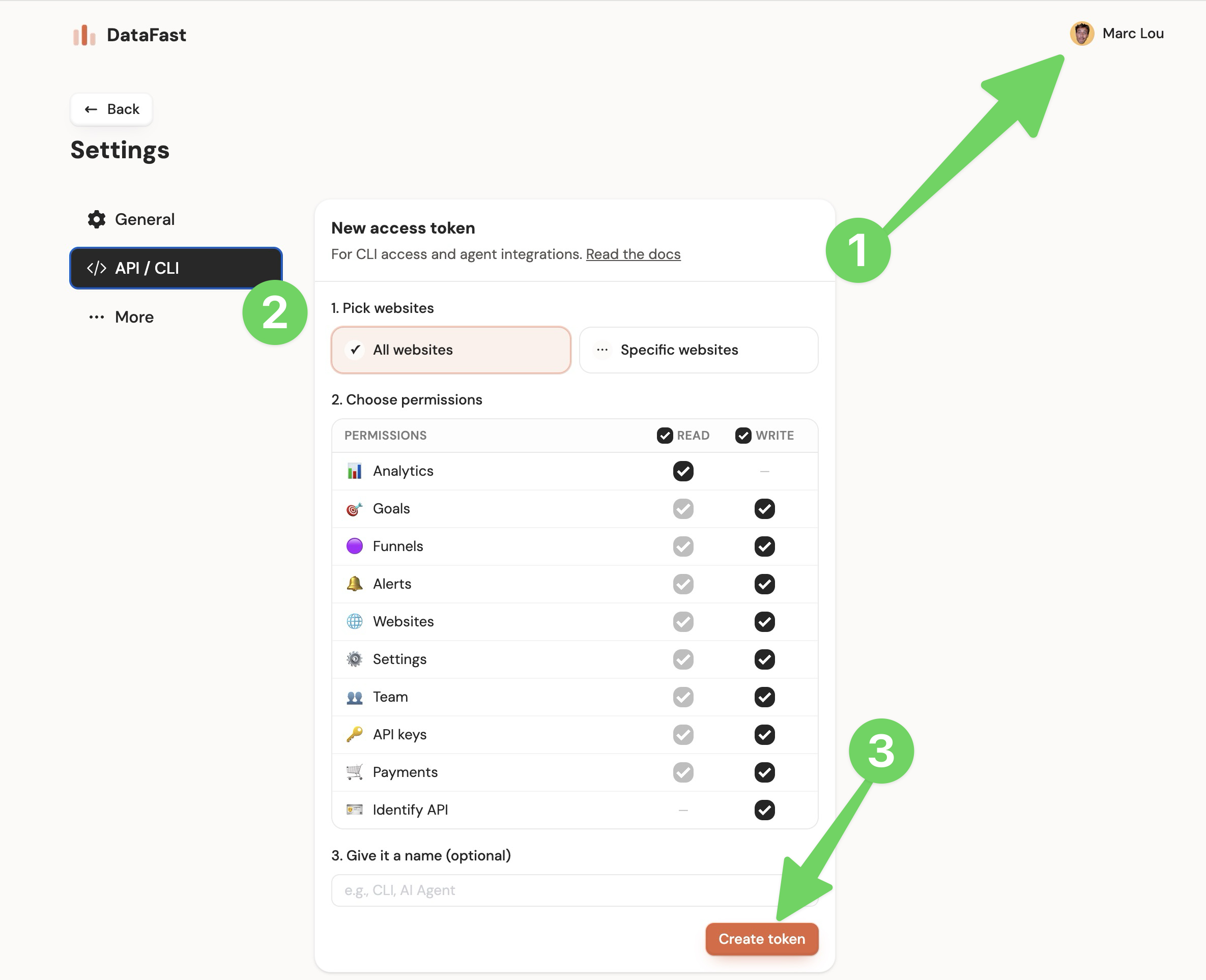
You can also create them with the CLI:
datafast tokens create --name "AI agent" --permissions "analytics:read,websites:read,funnels:write,alerts:write"
Account tokens can be limited by:
- Permissions: for example
analytics:read,websites:write,funnels:write, or* - Website scope: all websites by default, or a fixed list of website IDs
- Your role on the website: viewers are read-only, members can manage most website settings, and owners can manage team members
When you use a
dft_ token with public website endpoints, pass websiteId so DataFast knows which website to query:curl "https://datafa.st/api/v1/analytics/overview?websiteId=YOUR_WEBSITE_ID" \
-H "Authorization: Bearer dft_xxx"
Admin endpoints include the website in the path:
curl "https://datafa.st/api/v1/admin/websites/YOUR_WEBSITE_ID/funnels" \
  -H "Authorization: Bearer dft_xxx"
Permissions
Use the smallest permission set that can do the job.
| Permission | Allows |
|---|---|
analytics:read | Analytics, visitors, realtime, metadata, funnel analytics, social mentions |
notes:read / notes:write | List/search manual chart notes, or create, edit, and delete them |
goals:write | Create or delete custom goal events, and manage goal display customizations |
payments:write | Create or delete payment events |
identify:write | Identify visitors from your backend |
websites:read / websites:write | List and create websites |
settings:read / settings:write | Read and update website settings, connect integrations |
api-keys:read / api-keys:write | List, create, roll, or revoke website API keys and account tokens |
funnels:read / funnels:write | List, create, update, or delete funnels |
alerts:read / alerts:write | List, create, update, or delete alerts |
team:read / team:write | List, invite, or remove team members. Invite and remove are owner-only |
* | Full access |
Updating token permissions
In Account settings → API, expand your token and choose Edit permissions. Enable the required permissions and save. The key and website scope stay the same, so existing MCP connections keep working. Only the signed-in owner can do this; permission editing is not exposed to API keys or MCP tools.
Use
notes:read to list/search manual notes and notes:write to create, edit, or delete them. Social mention reads use analytics:read. Existing df_ website keys and full-access * account tokens already cover these actions.For AI agents
For an AI agent that should inspect analytics but not change data, use:
analytics:read,websites:read,settings:read,alerts:read,funnels:read,goals:read
For an AI agent that can manage growth workflows, add write permissions only for the resources it should change:
analytics:read,websites:read,settings:write,funnels:write,alerts:write,api-keys:read
Use Account API for REST automation, or DataFast CLI if the agent can run shell commands.