
Web to app funnel tracking
Track your complete user funnel — from the moment someone visits your landing page to when they use your React Native app — all in one DataFast dashboard.
This is possible thanks to user identification. When you identify a user with the same
user_id on both your website and your app, DataFast links both visitor profiles together, giving you a unified view of the entire journey.How it works
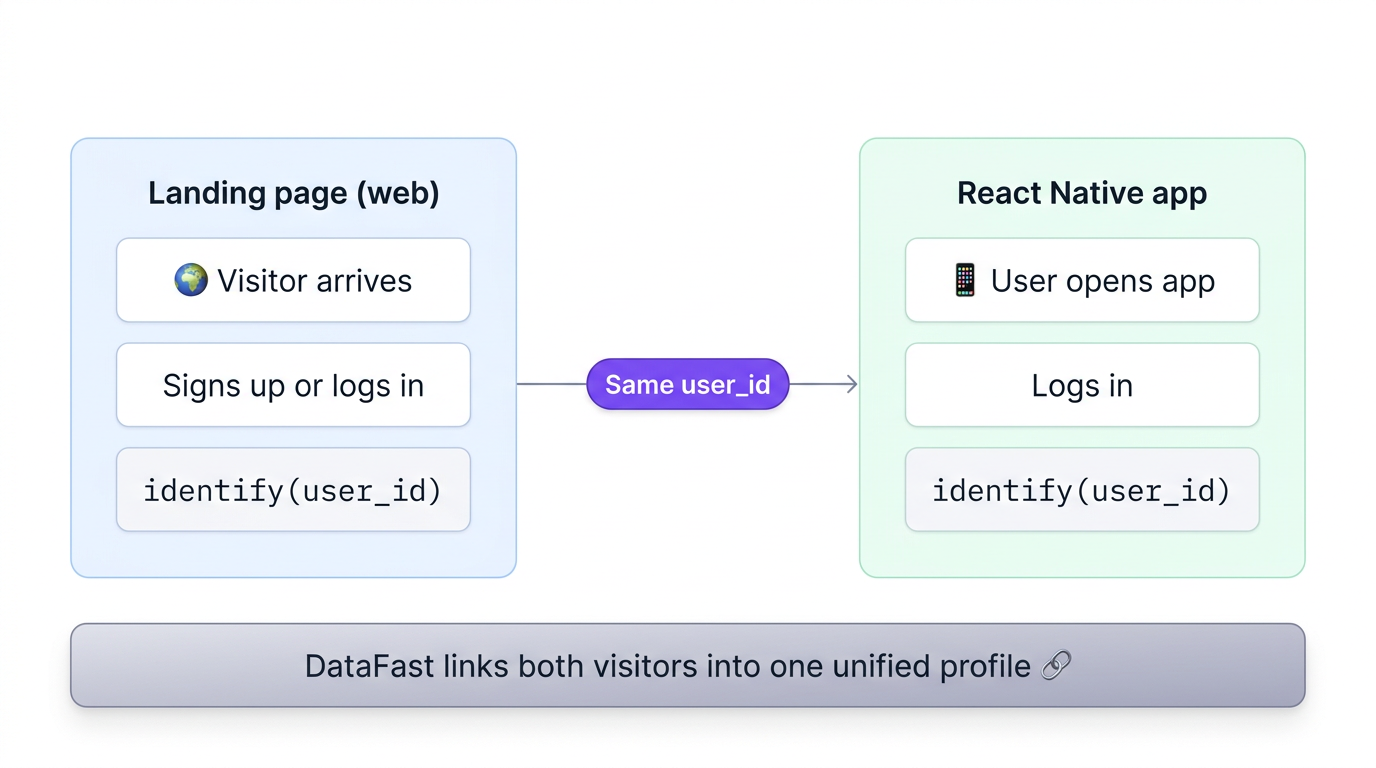
- A visitor lands on your website — the DataFast tracking script assigns them a
visitorIdstored in a cookie - The visitor signs up or logs in on your website — you call
identifywith theiruser_id(e.g. email) - The same person opens your React Native app — the SDK assigns a new
visitorIdstored in AsyncStorage - They log in to the app — you call
identifywith the sameuser_id - DataFast detects the shared
user_idand links both visitor profiles, creating a complete cross-platform journey
Prerequisites
- The DataFast tracking script installed on your website (get started)
- The DataFast React Native SDK installed in your app (React Native guide)
- Both must use the same DataFast website ID (
dfid_***)
Step 1: Identify users on your website
When a user signs up or logs in on your website, call identify:
// After signup or login on your website
window?.datafast("identify", {
  user_id: user.email, // or any unique ID
  name: user.name,
});
Add the queue snippet in your
<head> so identify calls are captured even before the main script loads.Step 2: Install the React Native SDK
Follow the React Native / Expo installation guide to add DataFast to your app. Make sure to use the same website ID as your website:
import { DataFastProvider } from 'datafast/react-native';

export default function RootLayout() {
  return (
    <DataFastProvider
      config={{
        // Same website ID as your landing page
        websiteId: process.env.EXPO_PUBLIC_DATAFAST_WEBSITE_ID!,
        domain: process.env.EXPO_PUBLIC_DATAFAST_DOMAIN!,
        debug: __DEV__,
      }}>
      {/* your app */}
    </DataFastProvider>
  );
}
Step 3: Identify users in your React Native app
When a user logs in to your app, call identify with the same user_id you used on the website:
import { useDataFast } from 'datafast/react-native';

export function useIdentifyUser(user) {
  const client = useDataFast();

  useEffect(() => {
    if (user && client) {
      // Same user_id as the website — this links both profiles
      client.identify(user.email, {
        name: user.name,
      });
    }
  }, [user, client]);
}
Step 4: Track screens in your app
Track screen views so you can build funnels that span both web and mobile:
import { useDataFastScreen, useDataFastTrack } from 'datafast/react-native';

export default function HomeScreen() {
  useDataFastScreen('HomeScreen');
  const track = useDataFastTrack();

  return (
    <Pressable onPress={() => track('upgrade_click', { source: 'home' })}>
      <Text>Upgrade to Pro</Text>
    </Pressable>
  );
}
Build a cross-platform conversion funnel
Once both your website and app are tracking events and identifying users, you can create a conversion funnel in your DataFast dashboard that spans both platforms. For example:
- Web — Pageview on
/(landing page) - Web — Pageview on
/pricing - Web — Custom goal
signup - Mobile — Screen view
HomeScreen - Mobile — Custom goal
upgrade_click
This gives you visibility into where users drop off between discovering your product and becoming active app users.
Mobile screen views appear as
datafast://ios/HomeScreen or datafast://android/HomeScreen in your dashboard. You can filter mobile traffic with datafast:// in the page filter.Important notes
- Same website ID: Both your website and React Native app must use the same DataFast website ID. This ensures all data goes to one dashboard.
- Same user_id: The
user_idyou pass to identify must be identical on both platforms. We recommend using the user's email. - Identify on every session: Call identify each time the user starts a new session (e.g. on app open if the user is already logged in) to maintain the link.
- Domain configuration: In your DataFast website settings, make sure your app's domain is listed in the allowed hostnames.
- Offline support: The React Native SDK queues events offline and sends them when connectivity is restored, so you won't lose data.