On 𝕏, the link you share is wrapped in a t.co redirect, so your analytics show a useless "t.co" row instead of the tweet that actually drove sales.
Why this matters
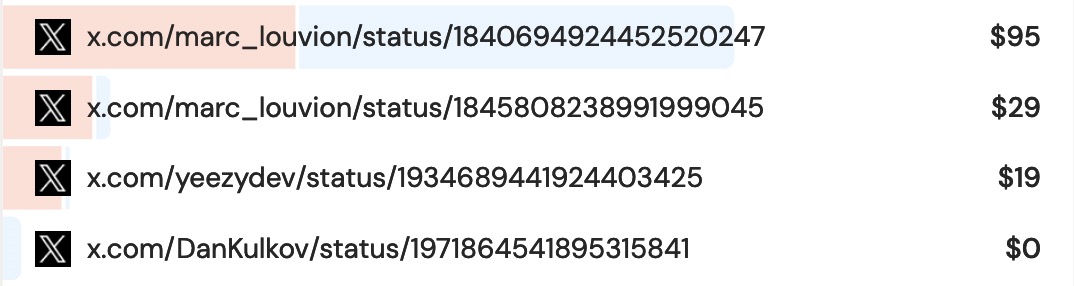
If you post on 𝕏, you want to repeat what works: which tweet, which thread, which account sent buyers. "t.co: 4,000 visitors" tells you nothing. "This launch thread: $2,300" tells you everything.
Why most analytics tools can't tell you
Every 𝕏 link looks identical (t.co) to standard analytics, and none of them connect that click to revenue. The signal is destroyed before it reaches your dashboard.
How DataFast does it
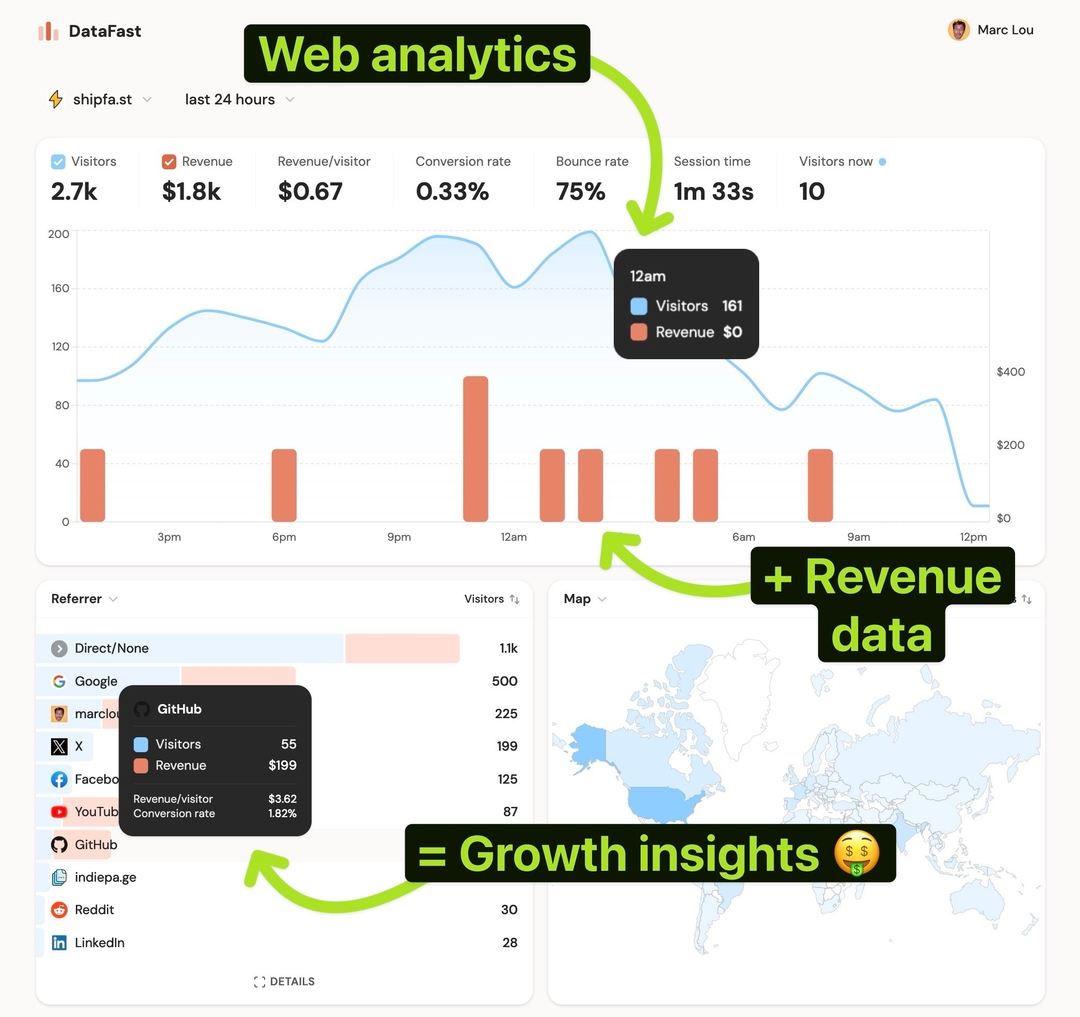
DataFast scans 𝕏 for links to your site, resolves them back to the actual tweets, and, with revenue attribution on, shows revenue per tweet. (Requires a Growth plan.)
How to do it
- Set up revenue attribution so tweets show revenue, not just clicks
- In your dashboard, open the Referrer card and filter by 𝕏
- Each row is a real tweet with its visitors and revenue, sort by revenue to find earners
- Linking your site from your bio? Add your handles under Settings → Integrations → Twitter / 𝕏 → Link attribution
Full detail in 𝕏 link attribution; to see brand buzz on your chart, add 𝕏 mentions.