Goals are easier to understand now
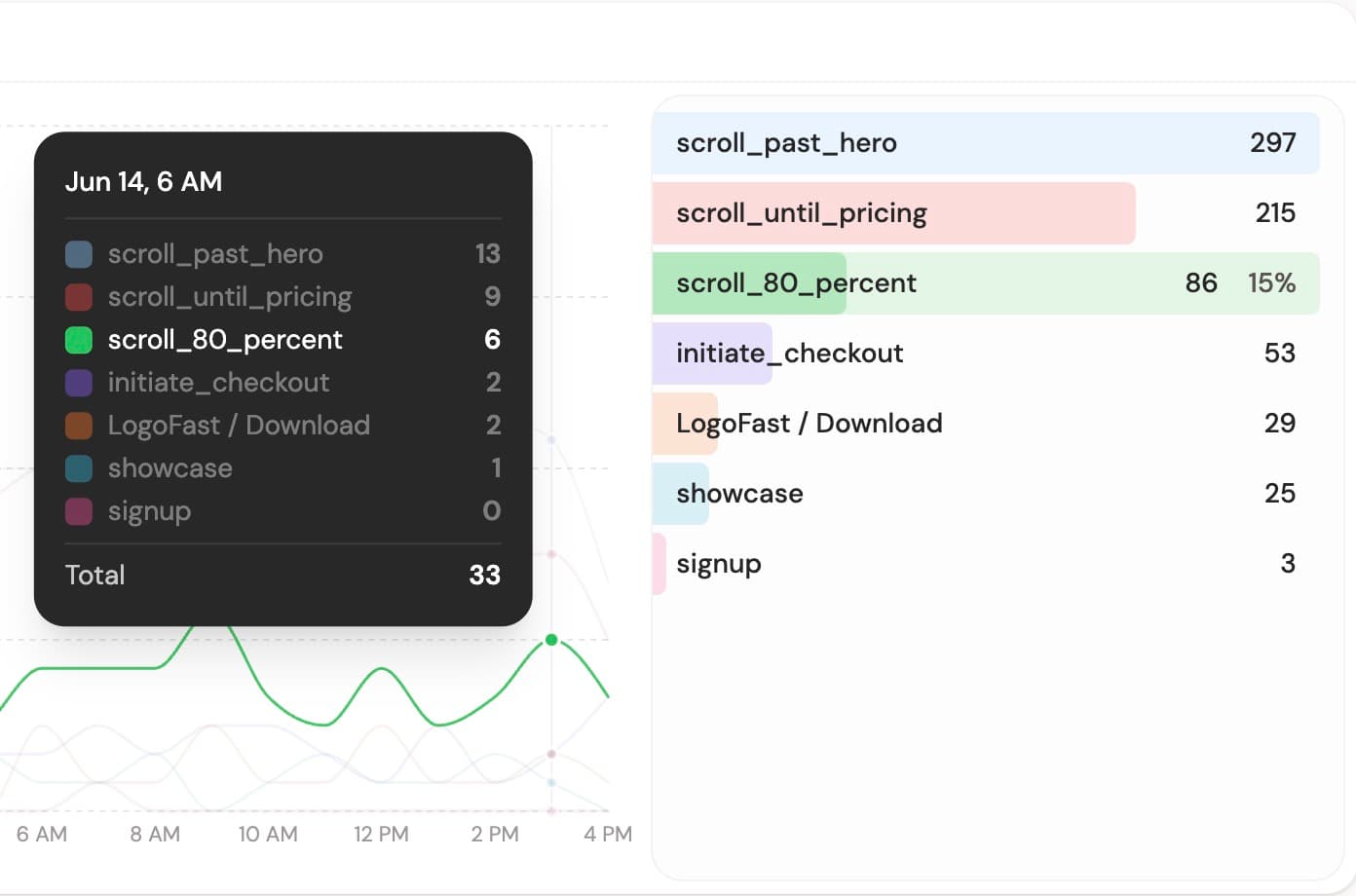
The Goals tab has a new layout built for tracking more than a single conversion count.
You can now see goal completions over time, compare goals by color, and open a goal to inspect the custom properties you send with it, like plan, method, keyword, email domain, or any other parameters from your JavaScript object.
What's new
- Goals over time - see how each goal trends across the selected period.
- Custom properties panel - click a goal to browse the properties and values attached to it.
- Custom names and colors - rename goals for display and choose colors that make your chart easier to scan.
- Hide noisy goals - keep tracking every goal, but hide the ones you do not want displayed in the chart.
- Quick actions - jump to visitor journeys, create funnels, use a goal as a filter, or set it as your KPI.
This is especially useful if you track several product events and want the dashboard to stay readable without losing the details behind each goal.
Something missing? Suggest features ✍️